
Generic OBD2 Readers vs. Foxwell NT530 Plus & NT510 Elite: What’s the Difference?

1. What a Basic OBD2 Reader Actually Does
When the check-engine light appears on your dashboard, your first thought might be to visit a repair shop. But for drivers who prefer handling basic maintenance themselves, a generic OBD2 reader can be a useful starting point.
These affordable tools primarily read standardized engine and emissions-related trouble codes. Depending on the device, they may also display live sensor data and clear codes when conditions permit.
For example, imagine your check-engine light comes on shortly after filling up at a gas station. A basic OBD2 reader retrieves a code related to the evaporative emissions system. This gives you a starting point, such as checking for a loose fuel cap before investigating other possible causes.
For straightforward engine-related problems, a generic reader may be all you need. However, modern vehicles rely on multiple electronic control modules for braking, airbags, transmissions, and other systems. A basic reader may not be able to access these modules, even when a warning light appears.
That’s where brand-specific diagnostic tools like the Foxwell NT530 Plus and NT510 Elite can offer additional value.
There is a significant middle ground between a 50 basic OBD2 reader and a professional diagnostic tablet. Many DIY owners need more than engine-code reading but do not necessarily need the cost or complexity of a workshop-level tablet. The Foxwell NT510 Elite and NT530 Plus fit this middle ground, offering brand-specific multi-system diagnostics, bi-directional active tests, and supported service functions in a compact handheld format.
2. What Basic OBD2 Readers Can’t Diagnose
A generic OBD2 reader can retrieve engine and emissions codes, but accessing systems such as ABS, SRS, transmission, and body control modules often requires more advanced diagnostic capabilities.
Consider a common situation: an ABS warning light stays on, but a basic OBD2 reader shows no relevant trouble codes. This doesn’t necessarily mean the vehicle has no faults. The reader may simply lack access to the ABS control module.
The Foxwell NT530 Plus scanner offers OE-level multi-system diagnostics on supported vehicles, allowing DIY owners to access systems such as ABS, SRS, and transmission rather than relying only on basic engine codes.
For example, if the NT530 retrieves a wheel-speed sensor fault code, the owner can narrow the investigation to the sensor circuit, wiring, or related components before replacing parts.
A fault code doesn’t always identify the failed component, but accessing the correct control module provides a more useful starting point.
For DIY mechanics, this broader diagnostic coverage can make troubleshooting more targeted and reduce unnecessary guesswork.
3. Full-System Diagnostics and Brand-Specific Coverage
Modern vehicles use separate control modules to monitor different systems. When a problem occurs, the relevant module may store diagnostic information that a generic engine-code reader cannot retrieve.
Brand-specific diagnostic software provides access to additional manufacturer-related systems and functions on supported vehicles.
For example, imagine a vehicle owner notices an airbag warning light after removing a seat to clean the interior. A generic OBD2 reader may show no engine-related faults because the issue is stored in the SRS module.
With the Foxwell NT510 Elite scanner and the appropriate vehicle software, the owner can access the supported SRS system, retrieve the fault code, and identify which circuit requires further investigation.
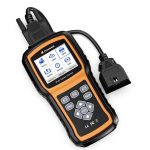
The NT510 Elite offers brand-specific multi-system diagnostics in a compact, button-operated handheld design. It is a practical option for DIY owners who regularly maintain compatible vehicles and need access beyond standard engine diagnostics.
However, an SRS fault code doesn’t necessarily identify the exact failed component. Airbag systems require specific safety precautions, so further inspection and repairs should follow the manufacturer’s instructions.
Both the NT510 Elite and NT530 Plus support brand-specific diagnostics, including full-system scanning and selected service functions. Their available features depend on vehicle compatibility and installed software, so buyers should compare the functions they actually need.
4. Beyond Fault Codes: Live Data and Active Tests
Reading trouble codes is only one part of vehicle diagnosis. Live data and active tests can provide additional information to help DIY owners investigate problems more closely.
Both the Foxwell NT530 Plus and NT510 Elite support live data and bi-directional active tests on compatible vehicles. Active tests allow users to command certain components and check their responses. The NT530 Plus also offers live data graphing and recording, which can help investigate intermittent faults.
Consider a cooling fan that doesn’t start when expected. The driver notices the engine temperature is higher than usual and safely stops the vehicle.
Using a compatible Foxwell scanner, the owner can review coolant-temperature data and, if supported, perform a cooling-fan active test.
If the fan operates during the test, the owner may need to investigate its normal activation conditions or control signals. If it doesn’t, the fan motor, wiring, power supply, or control circuit may require further inspection.
These results don’t automatically identify the faulty part, but they provide useful evidence before replacing components. Testing should follow vehicle-specific procedures and appropriate safety precautions.
For DIY mechanics, the value of live data and active tests is the ability to move beyond reading codes and investigate possible causes more systematically.
5. DIY Maintenance Functions Worth Checking
Beyond fault diagnosis, the Foxwell NT530 Plus and NT510 Elite offer vehicle-specific service functions that can help DIY owners perform certain maintenance procedures.
Depending on the vehicle and software coverage, these may include:
Battery Registration: Registering a replacement battery with the vehicle’s battery management system when required.
Electronic Parking Brake (EPB) Service: Activating the appropriate service mode during supported brake maintenance procedures.
Steering Angle Sensor (SAS) Calibration: Performing calibration after certain steering repairs or wheel alignment work.
Oil Service Reset: Resetting the maintenance reminder after completing an oil change.
ABS Bleeding: Running supported scan-tool-assisted bleeding procedures during certain brake repairs.
For example, imagine replacing the battery in a vehicle equipped with an intelligent battery management system.
After installing the correct replacement battery, the owner checks the manufacturer’s instructions and confirms that battery registration is required. If the NT530 Plus or NT510 Elite supports the procedure for that vehicle, the scanner can help complete the registration process.
For DIY owners, the NT530 Plus and NT510 Elite can help reduce trips to a repair shop for supported maintenance procedures, including battery registration and EPB service. Function availability varies by vehicle, so owners should confirm compatibility before purchasing either scanner.
6. Which Scanner Fits Your DIY Work?
The right diagnostic tool depends on your vehicle, the type of maintenance you perform, and how often you need advanced functions.
A generic OBD2 reader is a practical choice if you mainly want to check engine and emissions codes, view basic live data, or gather information before visiting a mechanic.
A brand-specific scanner becomes more useful when you need access to additional control modules, manufacturer-specific diagnostic information, or supported service functions.
For DIY owners considering Foxwell tools, the NT510 Elite and NT530 Plus both offer multi-system diagnostics, live data, and vehicle-specific maintenance capabilities.
The NT510 Elite and NT530 Plus have very similar core diagnostic capabilities, which is why their feature columns in the comparison below largely match. Both target brand-specific DIY diagnostics rather than professional multi-brand workshop use. Their main distinction is product design and user experience, not a substantial gap in diagnostic depth. Buyers should therefore compare supported vehicles and functions first, then choose the handheld design they prefer.
Generic OBD2 Reader vs. FOXWELL NT510 Elite vs. NT530 Plus
Features
Basic OBD2 Reader
FOXWELL NT510 Elite
FOXWELL NT530 Plus
Engine Code Reading
Yes
Yes
Yes
Full-System Diagnostics
Engine
Supported
Supported
Live Data
Basic
Supported
Supported
Bi-Directional Active Tests
No
Supported
Supported
Battery Registration
No
Vehicle-Specific
Vehicle-Specific
EPB / SAS / Oil Reset
NO
Vehicle-Specific
Vehicle-Specific
ABS Bleeding
No
Vehicle-Specific
Vehicle-Specific
Best For
Basic Engine Checks
Brand-Specific DIY Diagnostics
Brand-Specific DIY Diagnostics
Feature availability varies by vehicle make, model, year, and installed software. Confirm compatibility and individual function support before purchasing.
The NT510 Elite is a practical option for DIY owners who need brand-specific multi-system diagnostics, live data, and supported maintenance functions.
The NT530 Plus also offers brand-specific diagnostics, with live data graphing and recording among its documented features. Buyers should compare vehicle coverage and specific functions before choosing between the two models.
Both models provide capabilities beyond a typical basic OBD2 reader, but the better choice is the one that supports your vehicle and the tasks you actually perform.
7. Conclusion: Match Diagnostic Depth to the Job
Generic OBD2 readers and brand-specific diagnostic scanners serve different purposes. For basic engine and emissions checks, an affordable reader may be sufficient. But when faults involve additional control modules or require specific service procedures, a more capable scanner can provide information that a basic reader cannot access.
The Foxwell NT510 Elite and NT530 Plus both offer brand-specific multi-system diagnostics, live data, and supported service functions. These capabilities can help DIY owners investigate faults more effectively and reduce guesswork before replacing parts.
Ultimately, the right scanner depends on your vehicle, software coverage, and actual repair needs. Choosing a tool that supports the work you perform can reduce guesswork and make DIY troubleshooting more efficient.


More Stories
The 5 Best Car Audio Brands for Your Ride
A high-quality car audio system has the ability to transform your entire driving experience. Whether you enjoy listening to podcasts,...
Top 7 Car Accident Law Firms in Atlanta, GA
A car crash is powerful enough to alter a person’s life instantly. Victims often face many struggles in recovery, from...
Foxwell NT710: A Practical Diagnostic Tool for Overland & Off-Road Trips
1. When a Warning Light Interrupts a Remote Trail Imagine driving your vehicle along a remote off-road trail. After crossing...
2027 Dodge Durango Invoice Price, Dealer Cost, and What You Should Pay Near You
The 2027 Dodge Durango returns as a fully revised lineup with one significant structural change: the 3.6-liter Pentastar V-6 is...
GM Unveils Major AI and Self-Driving Technology Plans Alongside Next-Generation EV Platform at GM Forward 2026
What if your next Chevrolet Silverado or Cadillac Escalade could get smarter with age, anticipate maintenance problems before they happen,...
Alfa Romeo Giulia Quadrifoglio Roadster Could Become a Stunning One-Off Italian Supercar with 505 Horsepower
What happens when an Italian coachbuilder takes one of the most beautiful sport sedans of the modern era and decides...