
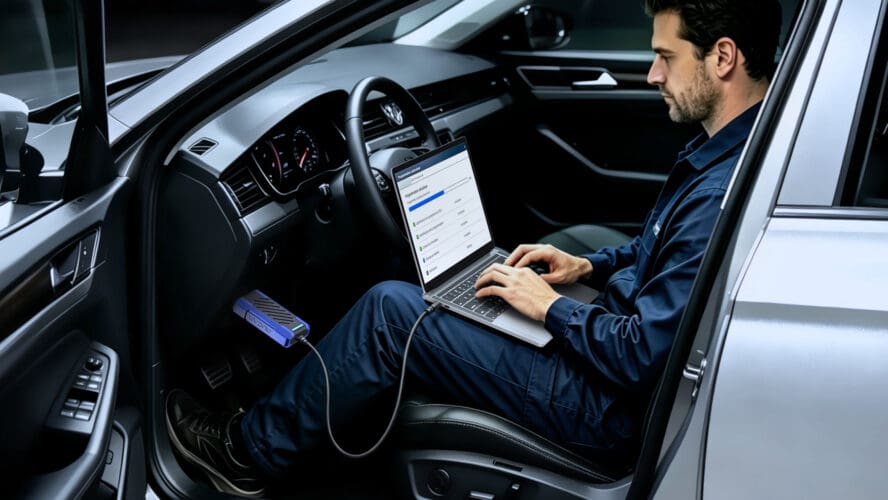
Before You Start J2534 Pass-Thru Programming: A Checklist for Independent Workshops

Modern repair increasingly involves software as well as hardware. A replacement control module may need to be programmed before it can operate correctly, while an OEM calibration update may form part of a documented repair procedure, technical service bulletin or service campaign.
For independent workshops, SAE J2534 provides a standardized way for compatible PC applications to communicate with a vehicle through a Pass-Thru interface. It can reduce the need for separate manufacturer-specific communication hardware for every supported brand.
However, a J2534-capable device is only one part of the programming environment. It does not supply OEM software, select the correct calibration, provide security authorization or guarantee access to every control module.
Before accepting a programming job, the technician needs to confirm the vehicle, module, OEM procedure, software access, electrical condition and communication setup. Those checks often matter more than the flash button itself.
What J2534 Standardizes
SAE J2534 defines a Pass-Thru application programming interface used by compatible Windows software to exchange data with a vehicle through a vehicle communication interface, or VCI.
In a supported workflow, the connection normally consists of:
OEM application – Windows PC – J2534 interface – vehicle network – control module
The OEM application remains in control of the procedure. Depending on the manufacturer, it may use the VIN, module identification, current software level and selected service action to determine which software or calibration is required. The relevant files may be obtained through an online service, a local cache, a subscription portal or another OEM-controlled delivery method.
The J2534 interface transfers the messages between the PC and the vehicle. It does not contain the manufacturer’s programming logic or decide whether a particular operation is permitted.
J2534 should not be treated as a complete OEM diagnostic system either. Compatible applications may use a J2534 interface for reprogramming or certain diagnostic communications, but functions such as active tests, parameterization, initialization, learning-value resets and post-programming verification depend on the software and the access provided by the OEM.
J2534-1 and J2534-2 Are Not the Same
The boundary of the standard is easier to understand when J2534-1 and J2534-2 are considered separately.
J2534-1 defines the core Pass-Thru API and interface requirements most directly associated with reprogramming emissions-related control modules. This is the area tied most closely to the regulatory requirement for aftermarket access to supported reprogramming procedures.
J2534-2 defines optional Pass-Thru features and additional communication capabilities beyond the core requirements of J2534-1. Support for those optional capabilities depends on the interface, its driver and the OEM application.
Neither designation guarantees programming access to every module. Body, chassis, infotainment, gateway and security-related operations may be limited by the vehicle platform, OEM software, subscription level, authentication requirements or the need for a manufacturer-specific diagnostic tool.
Confirm That Programming Is Actually Required
A calibration update should not be used as a general trial-and-error repair method.
Before programming an existing module, the technician should confirm that the update applies to the vehicle and complaint. The reason may be a technical service bulletin, recall, service campaign, documented repair instruction or a result reached through the OEM diagnostic process.
Module replacement is another common reason for programming, but installing the software may not complete the repair. A replacement ECU, TCU, BCM or gateway may also require configuration data, parameterization, security access, initialization, calibration or synchronization with other vehicle systems.
Diagnosis should therefore come before programming unless the manufacturer’s procedure explicitly makes programming part of the diagnostic or replacement process.
Six Checks to Complete Before Connection
1. Confirm the Vehicle, Module and Procedure
Identify the vehicle accurately before opening a programming session. Check the VIN, model year, engine or powertrain configuration, target module part number and current software information where available.
Then consult the latest OEM service information. Confirm that the intended module and procedure are supported through the manufacturer’s Pass-Thru workflow. A general statement that a device “supports J2534” does not prove that it can complete a specific operation on a specific ECU.
The same manufacturer may support Pass-Thru programming for one controller but require a different workflow for another.
2. Prepare OEM Software and Access
Install the correct OEM application and confirm that the PC meets its current system requirements.
Before committing the vehicle to the job, check:
● whether an active OEM account or subscription is required;
● how the programming files are obtained;
● whether the procedure requires online authentication;
● whether security credentials or additional authorization are needed;
● whether the selected vehicle and module are covered; and
● whether the OEM permits the procedure through a generic J2534 interface.
Subscription access alone does not guarantee that every procedure is available.
3. Verify the Interface, Driver and Required Protocols
Install the correct J2534 driver and confirm that the OEM application recognizes the interface before programming begins. Check the driver and firmware versions against the current hardware and software instructions.
Vehicle-side communication requirements must also be considered. CAN, CAN FD and DoIP describe networks or transport methods used to communicate with the vehicle. J2534 describes the API between the PC application and the Pass-Thru interface.
A device listing J2534, CAN FD and DoIP therefore has several distinct communication capabilities. The presence of those labels alone does not prove that a particular OEM application, vehicle architecture and module operation will work together.
When possible, verify the complete combination: OEM application version, Windows environment, VCI driver, connection method, vehicle and target module.
4. Check Vehicle Health and Stabilize Power
A vehicle that can start normally is not automatically ready for module programming.
Before connecting programming support equipment, check the battery condition, terminals, ground connections, power distribution and DLC power supply. Investigate unresolved low-voltage faults, network faults, module communication problems or signs of an unstable CAN bus before attempting a reflash.
A programming power supply can maintain voltage, but it cannot repair a poor ground, loose terminal, damaged DLC circuit or existing network fault.
During the session, use an appropriate regulated power supply or programming-capable battery maintainer. Follow the OEM’s current requirements for voltage, current capacity and connection method rather than assuming that one voltage setting is suitable for every vehicle.
Avoid operating high-current electrical loads or opening and closing doors during programming unless the OEM procedure instructs otherwise.
5. Secure the PC, Cable and Network Environment
The PC and its physical connections need to remain stable for the entire session.
Connect the laptop to AC power or confirm that its battery has sufficient reserve. Disable sleep and prevent automatic restarts. Pause operating-system updates, VPN changes and other background activity that could interrupt the application or network connection.
Use a reliable USB cable and avoid loose adapters or unnecessary USB hubs. If the OEM procedure specifies a wired connection, do not substitute an unstable wireless connection for convenience.
Close software that may attempt to access the same VCI or communication port. The GVCI setup instructions provide a useful example: J2534Plus can be used to select the serial connection and verify that the adapter is detected, but the management application should then be closed before the diagnostic software establishes its own VCI connection because it may occupy the USB port on some computers.
That is a product-specific instruction, not a universal J2534 rule. The broader principle is to prevent background utilities from competing with the OEM application for control of the interface.
6. Follow the OEM and Post-Programming Procedure
Once the session begins, follow the manufacturer’s prompts in order. Do not disconnect the VCI, remove the OBD connector, change the ignition state or operate vehicle systems unless the application specifically instructs you to do so.
Allow the OEM software to complete its verification step before closing the application.
After the software has been written, the repair may still require parameterization, configuration synchronization, initialization, calibration, learning-value resets or security-related procedures. Clear relevant DTCs and confirm that the module communicates correctly and that the affected vehicle functions operate as expected.
Some post-programming tasks may require additional OEM software, online services, security credentials or manufacturer-specific diagnostic equipment. A completed flash does not necessarily mean that the entire repair is complete.
Where J2534 Programming Sessions Commonly Fail
Many apparent J2534 failures originate outside the interface itself.
The OEM application may fail to detect the device because the wrong driver is installed, the VCI is being used by another program or the selected connection method is incorrect.
Programming may stop because vehicle voltage becomes unstable, the USB connection is interrupted or the PC loses access to the OEM server. An expired subscription, missing security authorization or incorrect software environment can prevent a procedure from starting or completing.
The application may also reject the job because the vehicle, module or calibration has been identified incorrectly. In other cases, the intended procedure is simply not available through the manufacturer’s J2534 workflow.
When a problem occurs, preserve any available session logs and record the OEM application version, driver version, vehicle information, module details and exact error message. These details are more useful for troubleshooting than a general statement that “J2534 does not work.”
For additional answers about OEM subscriptions, interface recognition, programming failures and first-time setup, see THINKCAR’s J2534 Programming FAQ.
What to Check When Choosing a Pass-Thru Interface
The number of vehicle-brand logos on a product page is not a reliable compatibility test.
A workshop should instead ask:
● Does the OEM application recognize this VCI?
● Are the driver and firmware maintained?
● Is there a documented setup procedure?
● Does the interface support the vehicle networks used by the shop?
● Is a stable wired connection available where the OEM requires one?
● Can technical support help with driver, connection and session-log problems?
● Are known limitations explained?
● Does the shop want a dedicated Pass-Thru interface or a platform that also handles everyday diagnostics?
Some workshops prefer to keep their diagnostic scanner and Pass-Thru hardware separate. Others want one platform that can move from initial diagnosis into a supported OEM communication workflow.
For workshops that want everyday diagnostics and supported Pass-Thru work in one system, the MUCAR 892BT PRO combines J2534 communication through its GVCI interface with a Topology Map and MUAI-assisted diagnostics.
The topology view helps technicians see module status and identify where to focus across the vehicle network, while MUAI assists with fault-code interpretation, possible causes and diagnostic direction. The GVCI also supports CAN FD and DoIP communication for compatible vehicle architectures.
As with any J2534-capable device, Pass-Thru programming requires compatible OEM software and may also require a manufacturer subscription, account access or security authorization. The interface provides the communication pathway, while the OEM application determines which vehicles, modules and procedures are available.
Should Every Independent Workshop Bring J2534 Work In-House?
Not necessarily.
A workshop that regularly replaces modules, encounters OEM software-related repair procedures or sends vehicles to a dealer for programming may benefit from developing an in-house Pass-Thru workflow.
However, the investment includes more than the interface. OEM subscriptions, programming power equipment, suitable computers, technician training and the time needed to learn different manufacturer procedures all affect the business case.
If programming jobs appear only a few times a year, outsourcing may still make financial sense. If they arrive every week, an established in-house process can reduce delays and give the workshop more control over the repair.
The Bottom Line
J2534 has made OEM-supported programming more accessible to independent repair businesses, but it has not made programming universal or automatic.
The interface is one part of a larger system. The vehicle must be correctly identified, the module and procedure must be supported, the OEM software and authorization must be ready, the vehicle’s electrical and network condition must be suitable, and the programming environment must remain stable.
Before beginning a session, the most useful question is not simply:
“Does this tool support J2534?”
It is:
“Have I confirmed everything this vehicle, module and OEM procedure requires?”
Answering that question before connection is what turns a Pass-Thru feature on a specification sheet into a professional workshop capability.
The post Before You Start J2534 Pass-Thru Programming: A Checklist for Independent Workshops appeared first on My Car Heaven.


More Stories
When every kilometre counts, Suzuki puts fuel economy to the test
With fuel prices rising, Suzuki put its fuel-efficient range to the test. Discover how five Suzuki models performed on Pretoria’s...
Brilliant Design Features That Make the Alpine A310 VISION So Exciting
The A310 VISION also demonstrates the design opportunities offered by Alpine’s APP platform. Developed to support future sports cars, the...
Opel STX Concept Brings Active Aerodynamics to the Electric Estate Car
Opel is preparing a new concept car for the 2026 Paris Motor Show. Called the STX, it previews a future...
A Modern Citroën 2CV Sounds Great. Until You Think About the Price
Citroën has revived the 2CV name at the Paris Motor Show, displaying two concepts inspired by its most recognisable small...
Pickup Truck vs SUV Insurance Costs and What Drivers Should Know
Insurance belongs in the buying budget when the shortlist includes a pickup and an SUV. Either vehicle may cost less...
Porsche Mission S Could Get a Manual Transmission and That Makes This Mid-Engine Supercar Even More Exciting
Just when we thought Porsche’s stunning new Mission S concept couldn’t get any more exciting, the German automaker has revealed...